How to Hide Your Crypto Seed Phrase in Plain Sight


In the Web3 and cryptocurrency ecosystem, security is a non-negotiable priority. Anyone who owns digital assets knows the golden rule: “Not your keys, not your coins.”
But where can you securely store the 12 or 24 words of your seed phrase or the raw private keys to your digital wallets?
Paper backups can burn, USB flash drives can corrupt or decay over time, and saving a plain text file on your computer is an open invitation to malicious hackers.
This guide explores an advanced yet highly accessible security technique: combining symmetric cryptography with digital steganography.
You will learn how to hide ultra-sensitive textual information inside an ordinary digital image (such as a vacation photo) so that the output is visually identical to the original, protected by a strong password, and decryptable only by you.
Understanding the Two Layers of Defense: Cryptography vs. Steganography
Many users confuse these two concepts, but maximum security is achieved by combining them into a unified pipeline.
Cryptography (Security through Mathematics): This process renders a message completely unreadable to anyone who does not possess the correct decryption key. If an adversary intercepts encrypted text, they immediately know a secret exists, even if they cannot crack it.
Steganography (Security through Obscurity): This process conceals the very existence of the message. An adversary will never attempt to decrypt a file if they do not suspect it contains hidden information.
Hiding a plaintext private key directly in an image is highly risky; if someone detects the steganographic modification, your funds are compromised. Conversely, keeping an encrypted text file on your desktop draws unnecessary attention. Merging these two methods ensures your secret is first locked with a password and then camouflaged inside an ordinary image file.
How Least Significant Bit (LSB) Steganography Works
The most popular and efficient steganographic method for digital images is modifying the Least Significant Bit (LSB) of the pixel channels.
Every digital image is composed of individual pixels, and each pixel contains three primary color channels: Red, Green, and Blue (RGB).
In a standard 24-bit image, each channel is represented by a single byte (8 bits), holding an integer value ranging from $0$ to $255$.
For example, a pixel with a Red channel value of $240$ is represented in binary as:
$$\text{Binary Value} = 11110000_2$$
If we change the least significant bit (the very last bit on the right) from $0$ to $1$, the decimal value becomes $241$:
$$\text{Modified Binary Value} = 11110001_2$$
The color variation between a channel value of $240$ and $241$ is completely imperceptible to the human eye. By utilizing this visual tolerance, we can systematically replace the last bits of thousands of RGB channels across an image to store the binary stream of our encrypted seed phrase.
The Golden Rules of Steganographic Backups
Before implementing this technique with your actual production crypto wallets, you must memorize and follow these three fundamental safety rules:
Use ONLY the PNG Format: Image formats like JPEG utilize “lossy” compression algorithms that discard pixel detail to minimize file sizes. This compression permanently alters pixel values, destroying the steganographic payload embedded in the LSBs. PNG uses “lossless” compression, mathematically preserving every single bit.
NEVER Share the Image on Social Media or Messaging Apps: Platforms like WhatsApp, Telegram, Facebook, and Instagram violently compress uploaded media to save bandwidth. This optimization process instantly strips your hidden data. Store the original PNG on offline USB drives, external SSDs, or secure cloud storage inside an encrypted `.zip` archive.
Do Not Forget Your Password: The cryptographic algorithms applied here are mathematically robust. If you lose the decryption password, there is absolutely no backdoor or recovery mechanism to retrieve your hidden seed phrase.
Step-by-Step Guide: Running the Python Environment
The tool is designed to run in a Jupyter Notebook environment, providing an interactive graphical interface directly in your browser. This code is compatible with standard Python environments, Google Colab, and local installations.
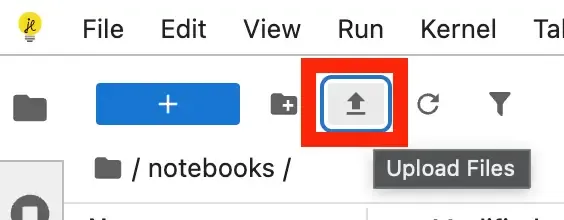
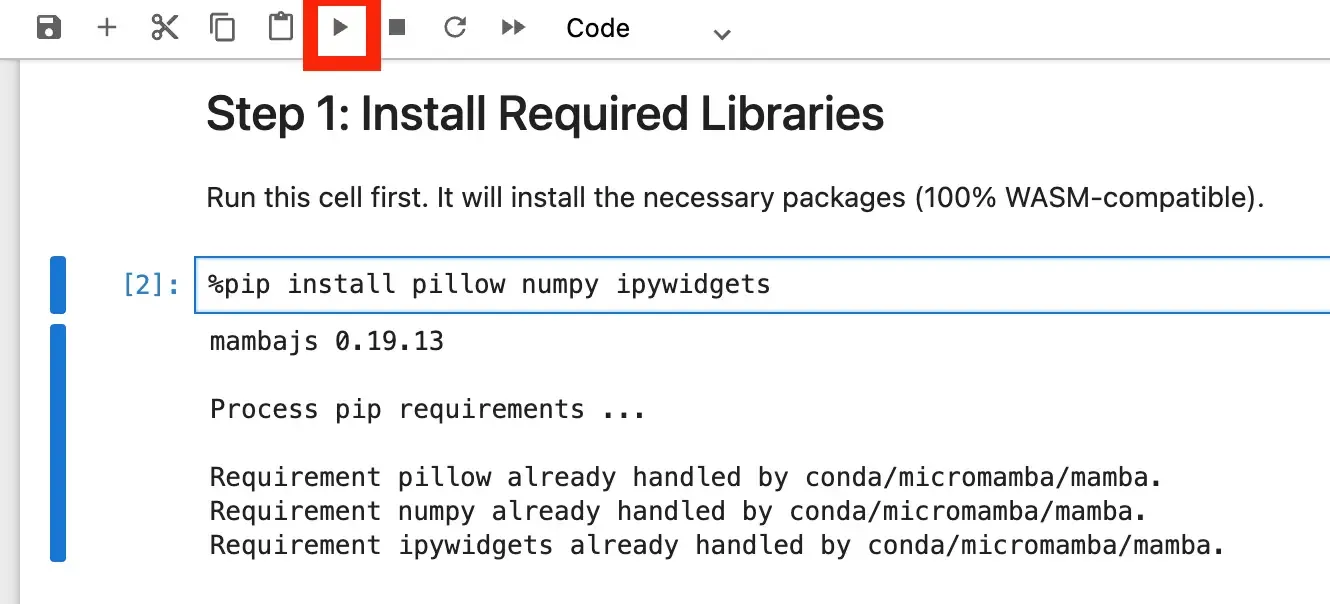
Step 1: Installing Required Dependencies
First, execute the code block to install the three fundamental libraries required for image processing, numerical array manipulation, and interactive widgets:
%pip install pillow numpy ipywidgets
`Pillow` handles standard image loading and saving.
`Numpy` allows for high-speed, vector-based manipulation of pixel matrices.
`Ipywidgets` builds the visual user interface in your notebook cells.
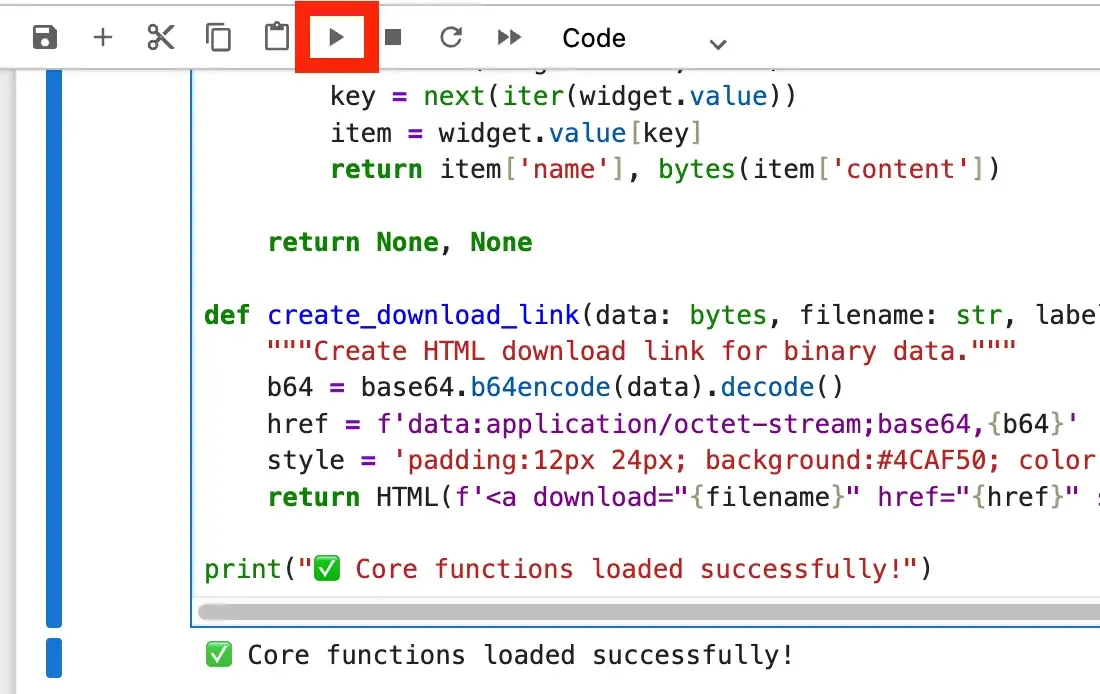
Step 2: Loading the Cryptographic and Steganographic Engine
Run the initialization cell to load the backend logic. The engine implements a highly secure password-based key derivation function: PBKDF2-HMAC-SHA256 with 10,000 hashing iterations and a unique, random 16-byte salt.
This protection actively thwarts offline dictionary and rainbow table attacks. After key derivation, the payload is encrypted and systematically mapped to the RGB channels.
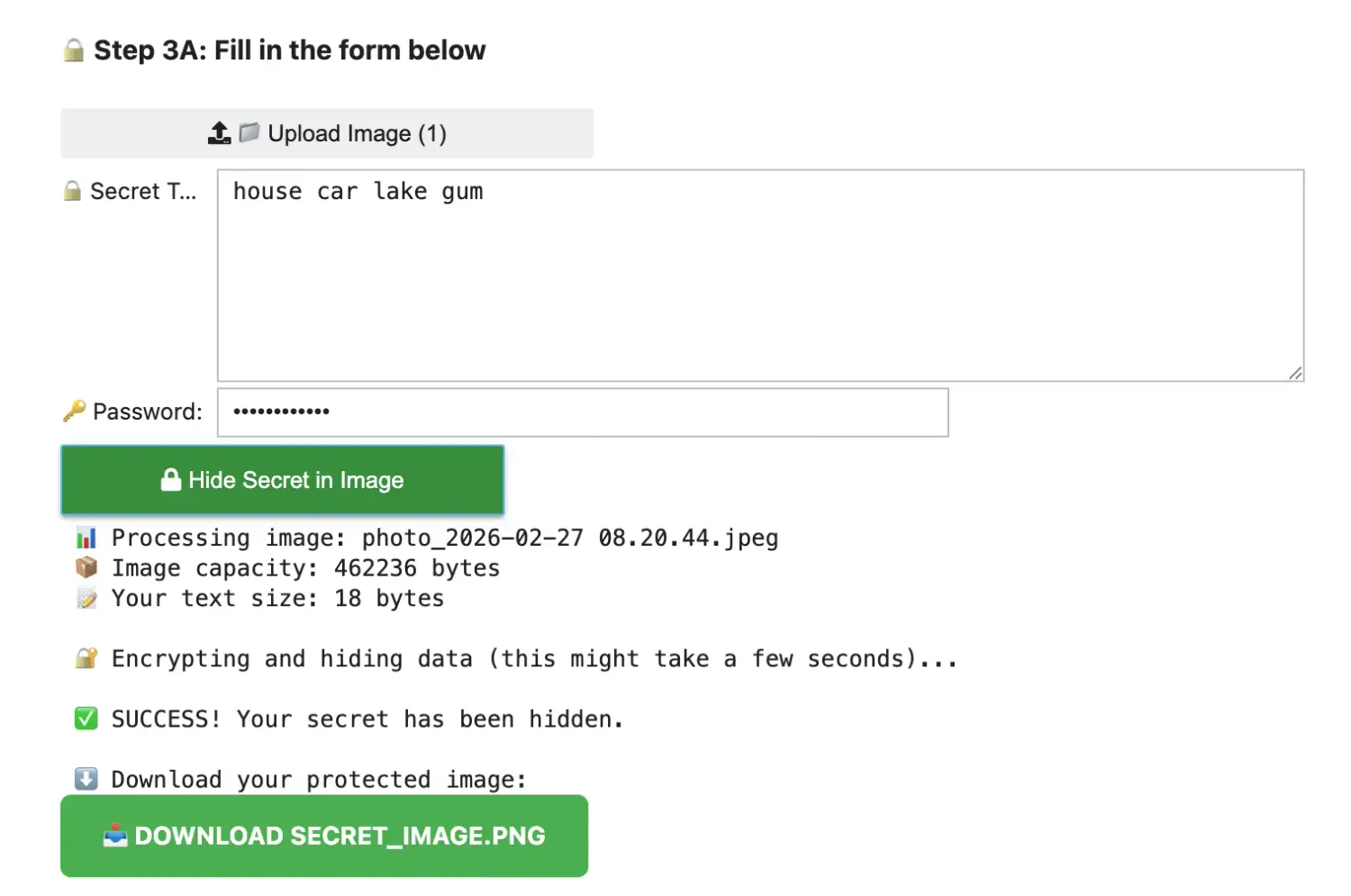
Step 3: Hiding Your Secret (Encoding)
Using the interactive browser interface is incredibly simple:
Drag and drop or browse to select your source image (JPEG or PNG) by clicking Upload Image.
Input your recovery words or private keys inside the secure text area.
Choose a highly complex master password.
Click Hide Secret in Image.
Click the green DOWNLOAD SECRET_IMAGE.PNG button to save the secure asset locally.
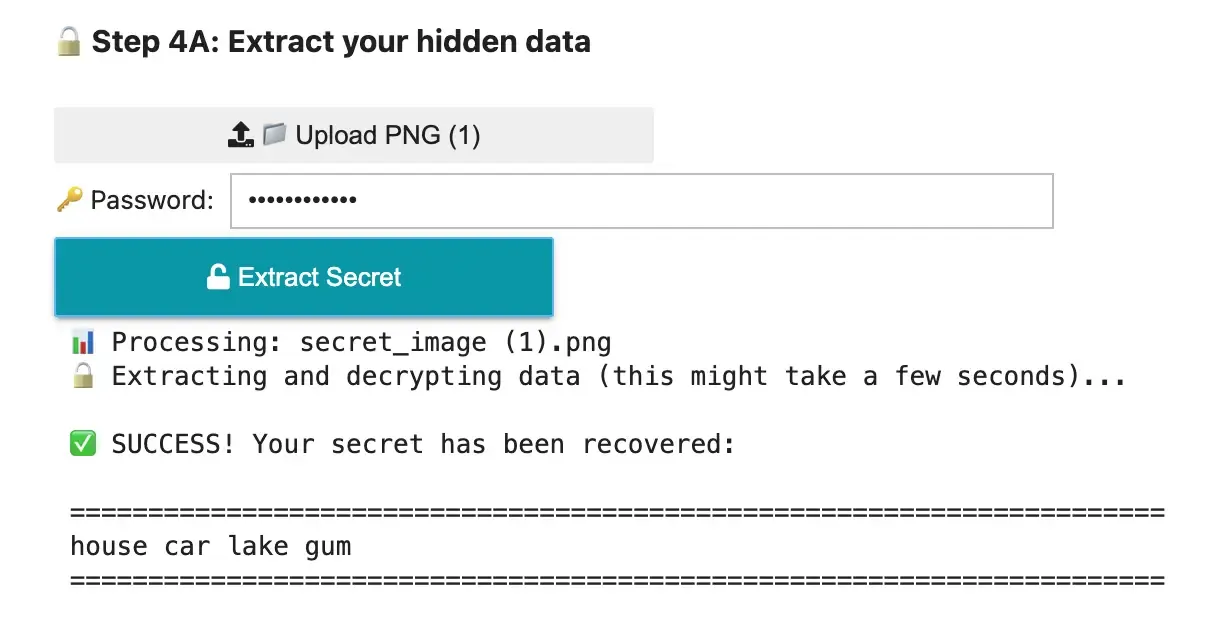
Step 4: Extracting Your Secret (Decoding)
When you need to restore your funds or access your hidden wallet:
Navigate to the recovery tab of your notebook.
Upload your saved `secret_image.png` file.
Provide the correct decryption password.
Click Extract Secret to reveal your plaintext keys instantly in your private offline environment.
Conclusions and Summary
By combining cryptography and steganography, you create a powerful backup mechanism that is virtually invisible to casual observers and automated network scrapers.
Whether you are safeguarding cold wallet backup phrases, API credentials, or high-value private keys, this strategy ensures your assets remain securely hidden behind a trivial digital image.

nft, hoken tech, blockchain, cryptoart, eos, nft art, artificial intelligence, ai, watch authentication, crypto artist, nfts, web3, nft game, web3 game, videogame, nft distributor, videogame blockchain